⚠️ Attention: Canvas Site Updates
Stay informed about important changes to Canvas. Please review the latest updates to learn about new features, login changes, and improvements.
Canvas Resources
How to Log In to Canvas LMS
Step 1: Find your institution’s Canvas URL
There are multiple ways to get to Canvas. The easiest is to go FTCC’s website. Go to the bottom of any FTCC webpage; click the Canvas link in the Resources list. Direct link is https://myclass.faytechcc.edu/
Step 2: Log in to Canvas
- Open the URL in a supported web browser.
- Navigate to your school’s Canvas login page.
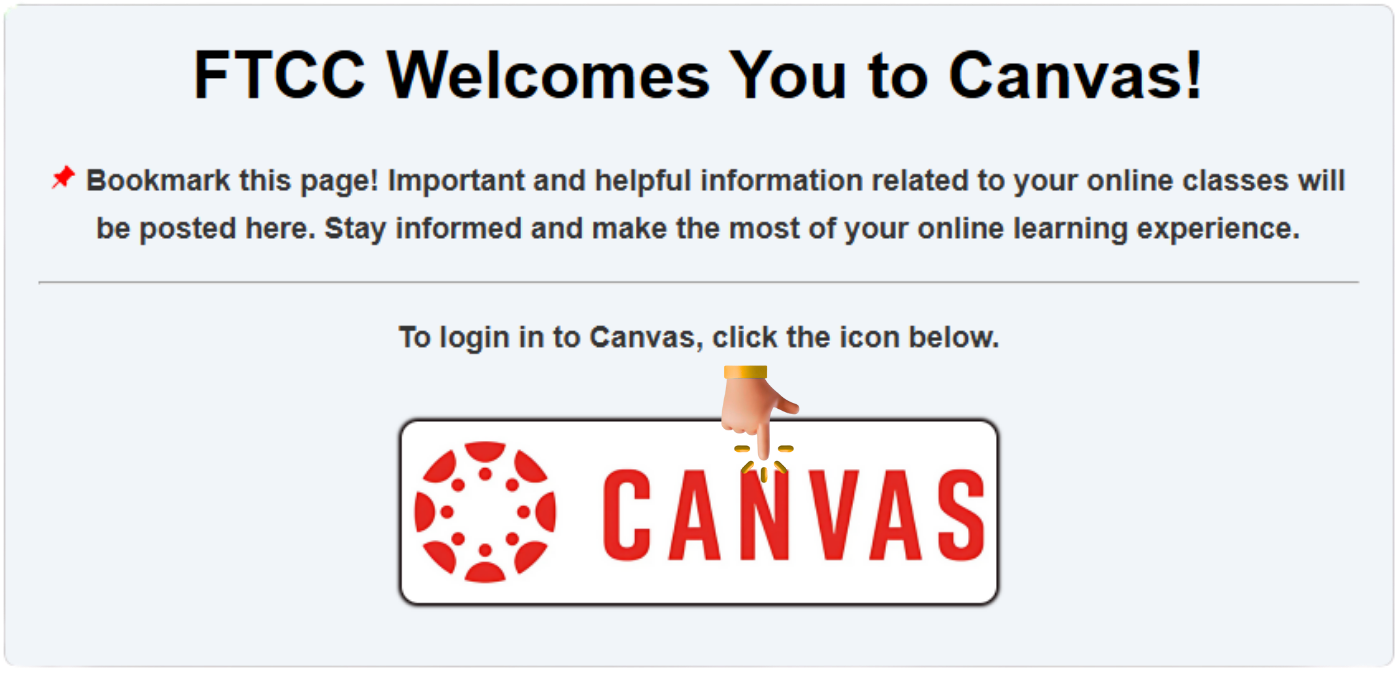
- Click on the Canvas logo (as shown in the image below).

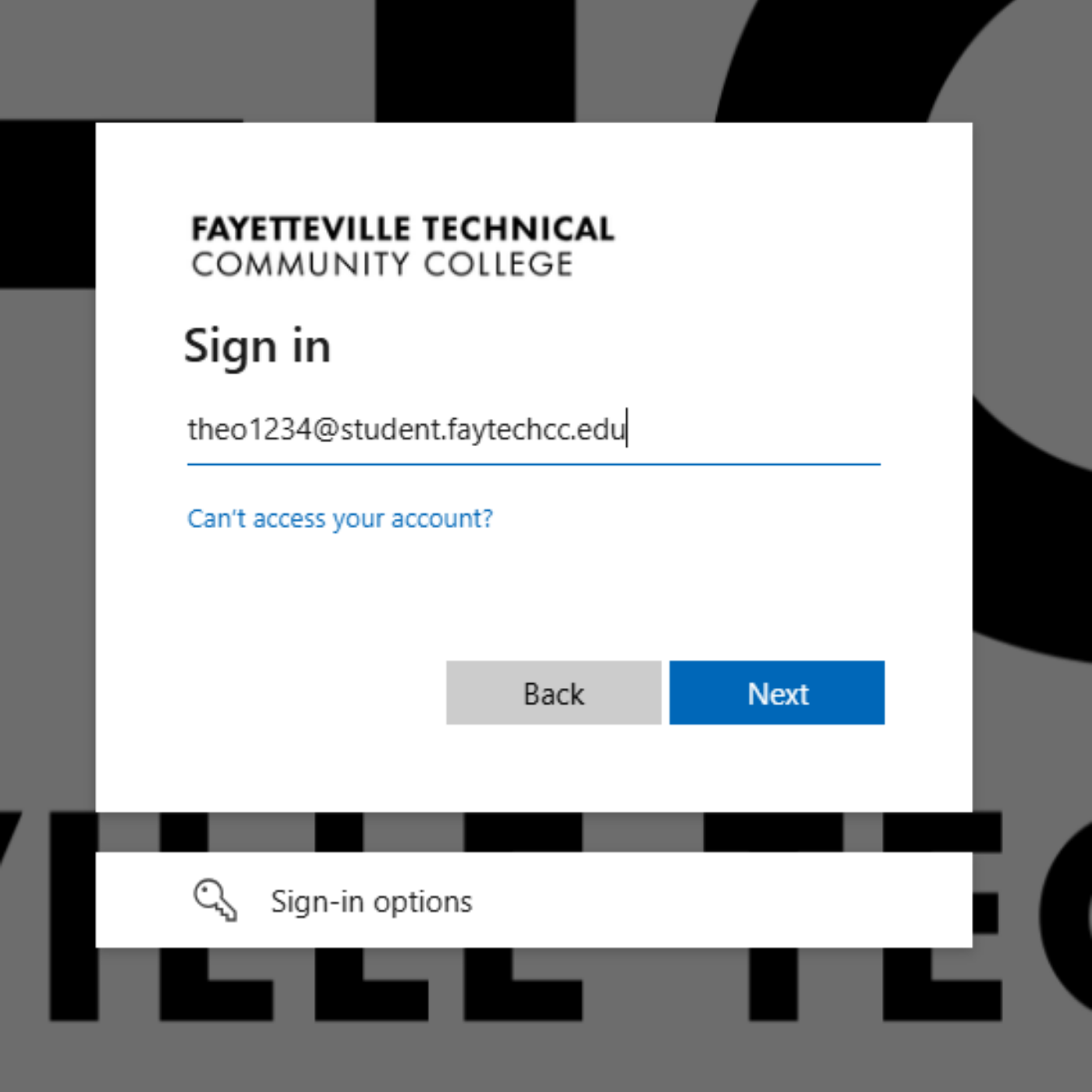
- Enter your username.
- In the Email (or Username/Login ID) field, enter your full student email (Example: theo1234@student.faytechcc.edu)
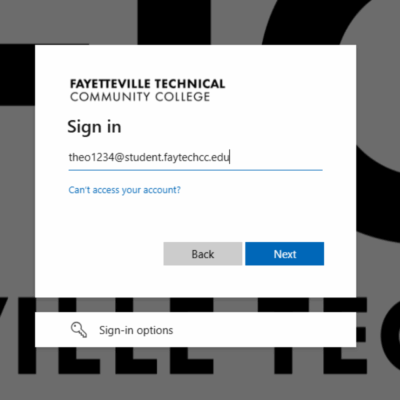
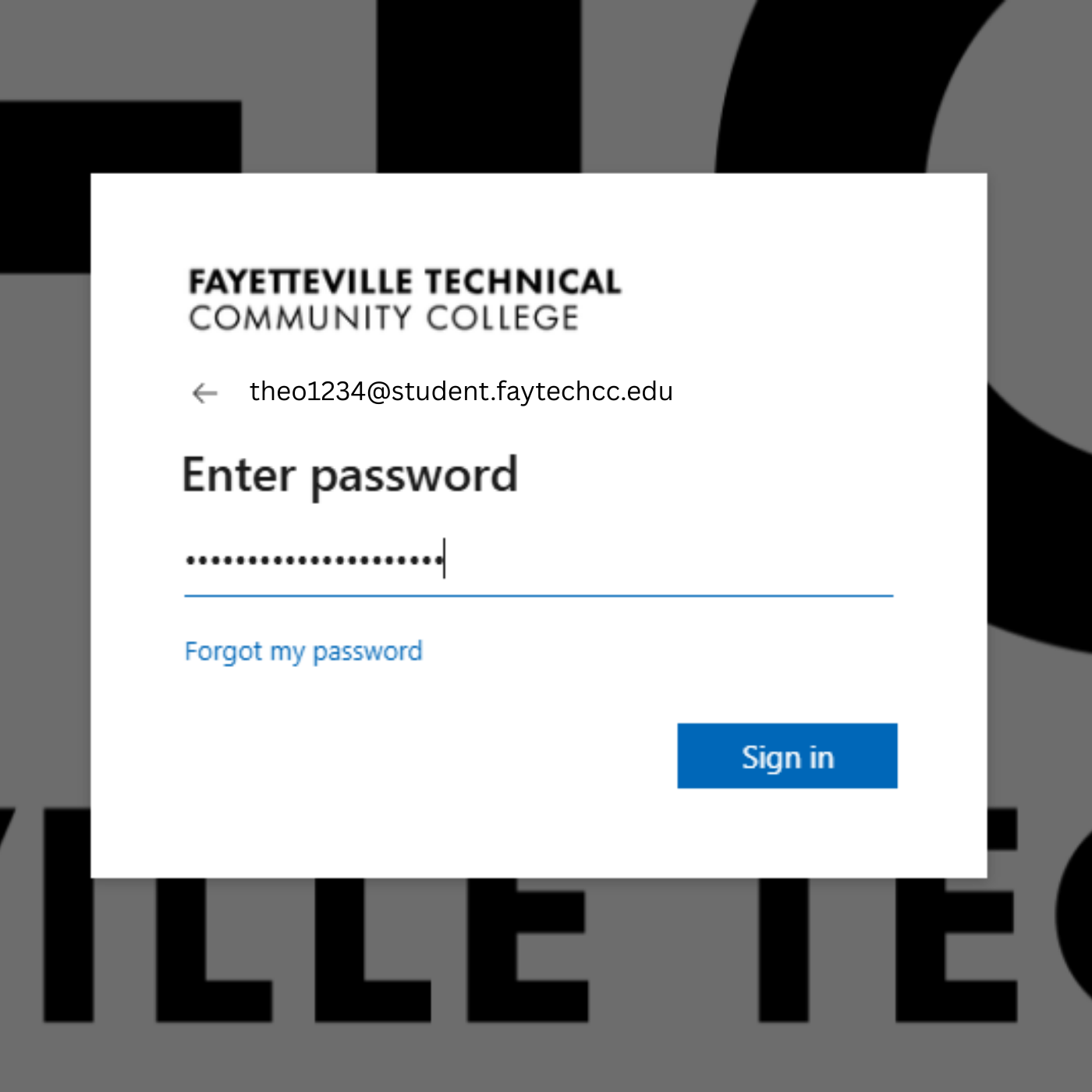
- Enter your password.
- Select Sign In.
- Click the Sign In button to access your Canvas dashboard.
- Canvas Dashboard.
- Optional: Reset your password.
- If available at your institution, choose Forgot Password and follow the prompts to reset it.

Additional info
- If you don’t know your username or password, contact your school’s Canvas administrator or IT Help Desk.
- Login pages may look different depending on your institution or if you’re using a Canvas mobile app.